


Guess The Answer: Trivia Game
4.8112.00 Reviews
App Specs
- Version
- 2.11.019
- Updated On
- License
- Free
- Downloads
- 50,000+
- Developer
- Quiz & Trivia Games by Mno Go Apps
- Categories
- Trivia
- Platform
- Android
Screenshots
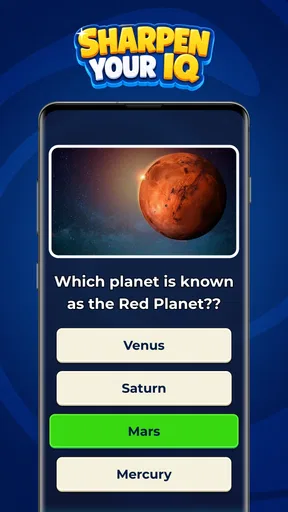
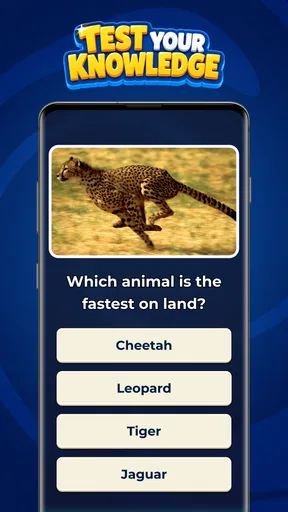
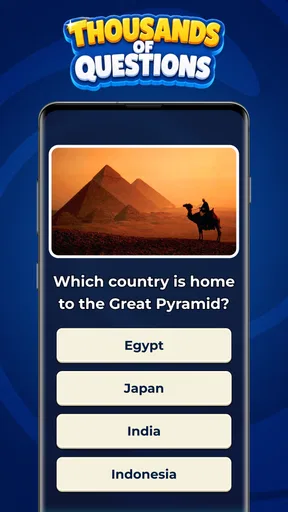
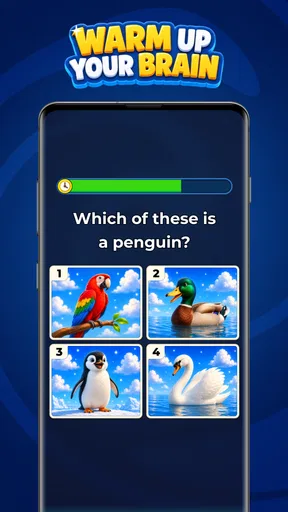
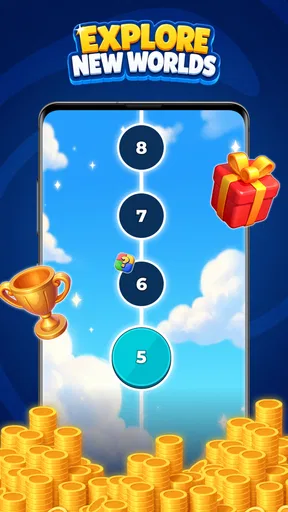
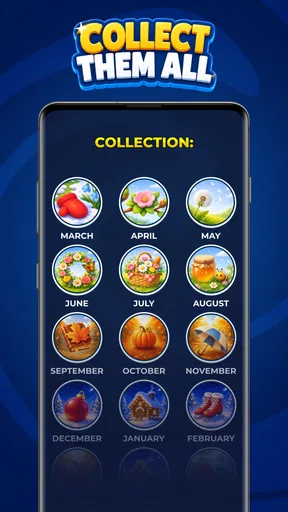
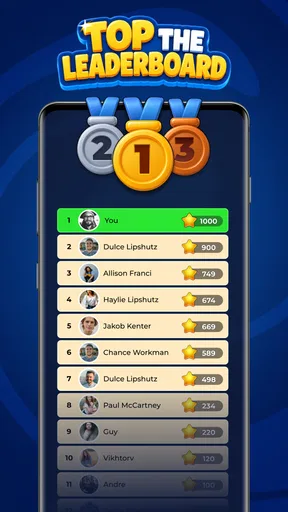
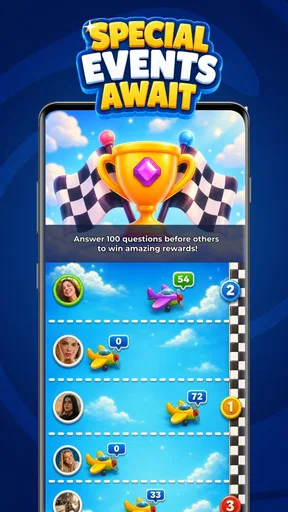
 Analysis by AppCompare
I like trivia games best when they make a spare moment feel a little more engaging without asking me to learn a complicated system first. Guess The Answer: Trivia Game is built around that simple appeal: it is a free guessing game from Quiz & Trivia Games by Mno Go Apps, intended for anyone who wants to test what they know and take a chance on an answer. Its straightforward premise is easy to understand, though whether it suits you depends on what you want from trivia: a casual mental break, or a more structured and competitive quiz experience.
What the free entry point is worth
You can start playing without paying upfront, which makes trying the game a low-commitment decision. There are in-app purchases, priced from 59 cents to $19.49 per item, so the game is not entirely free of paid options. I would treat those purchases as optional until you have played enough to know whether they improve your own experience. The listed prices alone do not tell me what each item does or whether any purchase is necessary, so I would check the item details in the app before spending.
That distinction matters: free access is a real benefit, but it is not the same as knowing that every part of the experience is free. If you are comfortable playing without buying anything, you can try the basic proposition first and decide whether you want to spend later. If you prefer games with a clearly stated one-time price and no purchase prompts, this setup may be less appealing.
The game has a 4.8 average from around 7,400 ratings, alongside 111 written reviews. That is encouraging evidence that many players rate it highly, but it cannot guarantee that its style will click for you. It has more than 50,000 installs and an Everyone age rating, making it an option to consider for a broad audience, including casual family play. I would still let younger players use good judgment around any in-app purchase choices.
How the guessing format earns its place
I find the guessing format most useful when I treat it as a choice between memory and intuition, rather than expecting every question to teach me something on its own. That small distinction helps me decide whether this kind of trivia is relaxing or frustrating, and it gives a shared session an easy conversation prompt: explain the reasoning before revealing the answer. For players who enjoy that uncertainty, the format earns a place; those who want dependable lessons may prefer a more structured quiz.
A quick mental challenge, not a full quiz course
The appeal of a “guess the answer” format is that it invites a response rather than asking you to study a long set of rules. I find that kind of trivia works particularly well when I have only a few minutes: I can focus on the question in front of me, make a call, and move on. The game’s core idea is easy to grasp, so it is approachable for people who do not regularly play quiz games.
That simplicity also sets expectations. I would not choose it as a substitute for a deep learning tool, a formal trivia league, or a game whose main draw is a detailed progression system. The strongest reason to try it is the immediate guessing challenge. If you mainly want carefully explained answers, subject-by-subject lessons, or a highly social competition, you may be happier with a different kind of quiz app.
Worth Reading Before You Choose

Switching to Android Auto Means Rethinking Your Driving Routine

Google Calendar Makes a Crowded Week Easier to Manage

Baby Panda World Brings Quick Play to Modern Phones, but Its Game Library Feels Busy

ESPN’s Live Game View Makes Following Close Games Easier

QuizzLand Review: A Good Fit for Short Trivia Breaks, Not Every Player

Basketball Stars: Multiplayer Is Fast, but Can It Recover When Matches Go Wrong?
One useful way to play is to treat each question as a small reasoning exercise rather than a test of whether you already know everything. Before answering, I try to separate what I genuinely recognize from what merely sounds familiar. That makes the experience more satisfying and helps avoid turning a lucky guess into false confidence. It is a small habit, but it gives a simple trivia session a little more value.
Everyday use without making a project of it
Imagine waiting for a friend at a café with a few quiet minutes to fill. A lightweight guessing game can be a better fit than opening a long video or starting a task that needs sustained concentration. It also works as an easy conversation starter if someone nearby wants to join in: make a guess first, then compare reasoning. I would keep expectations casual, though; this is a way to add a small challenge to downtime, not a guarantee of a polished group-game format.
For family use, the Everyone rating is reassuring as a broad content classification, and the basic premise is understandable across ages. A practical approach is to let each person explain why they chose an answer, not just announce whether they were right. That turns guessing into a low-pressure exchange and can make the game more enjoyable for mixed knowledge levels. Since purchase options exist, I would also make sure a child knows not to buy anything without asking.
Another good use is a short break between tasks. I would play when I can give a question a little attention, rather than while walking, driving, or trying to focus on something else. Trivia is most enjoyable when I can think before responding; using it as background noise can make the guessing feel arbitrary and reduce the point of the exercise.
Where it differs from familiar trivia alternatives
Compared with a conventional quiz app organized around subjects, this game’s identity is its emphasis on guessing. That can feel less like taking a test and more like making an informed hunch, which suits players who enjoy intuition as well as recall. By contrast, people who want to select a specific topic or follow a structured learning path should look for an app that clearly centers those tools.
It also differs from party trivia games that depend on a room full of players, turn-taking, or a host. The idea here is easy to approach on your own, while a group can still enjoy discussing answers informally. If your main goal is head-to-head competition with friends, a dedicated multiplayer quiz may be the stronger choice. The right alternative depends less on which game is universally better and more on whether you want solo guessing, organized learning, or social rivalry.
Tradeoffs to consider before you settle in
The biggest tradeoff is the same quality that makes the game approachable: a simple premise can become repetitive if you want more variety in how you play. I would give it a fair trial, then ask myself whether the act of guessing still feels engaging or whether I am looking for richer explanation, a more deliberate challenge structure, or a clearly defined way to compete. Those are different needs, and a straightforward trivia game may not satisfy all of them.
There is also a spending judgment to make. Free access lets you test the basic appeal, while optional purchases mean the eventual value depends on what you choose to buy and how much you play. I would avoid paying simply because an item is available. First decide what you would want from a purchase, inspect what the item offers, and compare that benefit with how often you expect to return to the game.
For people who dislike guessing without being certain, the format may be frustrating rather than fun. Some players want answers they can derive through clear clues; others enjoy committing to the most plausible option even when they are unsure. I fall into the second camp when I am playing casually, but if you prefer dependable instruction or precise explanations, a reference app or educational quiz may serve you better.
Who is likely to get the most value
I would recommend giving it a try if you enjoy quick trivia, like making educated guesses, and want a game that does not require a complicated introduction. It is especially suited to people who already use short breaks for word puzzles or quiz questions and want another simple way to occupy that time. Its free entry point makes experimentation sensible, provided you are comfortable deciding for yourself whether any in-app purchase is worthwhile.
It is less suited to someone seeking a comprehensive knowledge course, a strongly social competition, or a purchase model with no optional spending. It may also be a poor fit if you find uncertainty irritating or need a game to explain every answer in depth. I would not interpret a high average rating as proof that those preferences will change; ratings are a useful signal of general satisfaction, not a promise of an individual match.
The game is listed as version 2.11.019 and requires Android 6.0 or later. That makes the minimum system requirement worth checking before installing, particularly if you use an older Android device. It was released on August 13, 2026, and the developer is Quiz & Trivia Games by Mno Go Apps. Those details help identify the specific game and its compatibility, but the more important decision is still whether its guessing-first style is what you want.
My verdict on paying, playing, or passing
For me, the sensible choice is to begin with the free experience and judge the game by how enjoyable its questions feel in ordinary downtime. The best value here is a low-cost-to-try guessing game, not a purchase you need to make on faith. If I found myself returning to it and a paid item clearly supported the way I play, I could consider buying it after checking its description. If I did not enjoy the basic loop, spending more would not solve that mismatch.
Overall, I see Guess The Answer: Trivia Game as a practical pick for casual players who enjoy testing their instincts along with their knowledge. Its broad age rating, simple premise, and free starting point make it easy to consider, while its in-app purchases and guessing-focused approach are reasons to pause if you want a strictly no-spend or highly structured experience. Try it for the kind of short, thoughtful break it is designed to provide; skip it if what you really want is a lesson plan, a serious contest, or certainty on every question.
A small routine that makes guessing more useful
If I wanted to get more than a quick distraction out of a session, I would pause briefly before each response and name the clue that is guiding my choice. Is it something I remember, a pattern I recognize, or simply a familiar-sounding phrase? This quick check makes it easier to notice when I am relying on knowledge versus instinct, without turning a casual game into homework. It is also a useful way for two players to compare how they reached different answers.
I would avoid using a correct guess as proof that I knew the answer all along. That distinction matters in trivia: a lucky call can feel satisfying, but it teaches less than a response supported by a clear reason. When I get something wrong, I can treat it as a prompt to revisit the subject elsewhere if I am curious. That makes the game a possible spark for learning, rather than relying on it as a complete source of explanations.
Choosing the right moment and expectations
The guessing-first approach is most appealing when I want a little uncertainty and can give the question my attention. It is less suitable for a commute where I need to watch my surroundings, or for a break so short that I would rather not focus on a screen. A good test is whether I actually enjoy weighing possibilities; if I only want to read facts and absorb reliable explanations, a reference or lesson-based app will be a better use of that time.
For a shared session, I would keep it informal: take turns suggesting an answer and explain the reasoning before checking it. That works even when players have different strengths, because the conversation is not limited to whoever knows the most facts. It should not be mistaken for a built-in team or party mode, though. Anyone looking for formal multiplayer rules, rankings, or a scheduled contest should choose a game made specifically for that kind of play.
My practical recommendation remains to try the free access before deciding whether this belongs on your phone. If the guessing itself keeps you interested, the game can earn a place as an uncomplicated break-time option. If you quickly want subject filters, detailed teaching, or a more varied structure, that is a useful sign to move on rather than spend in the hope that purchases will change the core appeal.
Pros
- Quick rounds make it easy to play during short breaks.
- A variety of trivia prompts helps keep each session feeling fresh.
- Simple controls are easy for new players to understand.
- The guessing format encourages players to think beyond obvious answers.
- Can be an entertaining option for casual solo play.
Cons
- Some questions may rely on wordplay or unexpected interpretations.
- Players looking for deep explanations may find answers too brief.
- Repeated prompts can make longer play sessions feel less varied.
- Progress may feel slow if hints or retries are limited.
- Trivia difficulty and topic coverage may not suit every player.
FAQs for Guess The Answer: Trivia Game
What is Guess The Answer: Trivia Game?
Guess The Answer: Trivia Game is a casual quiz game built around short questions that ask you to identify a word, object, or idea from the clues provided. It is designed for quick play, so you can answer a few questions during a break or spend longer working through the available challenges. The exact question mix and features may vary by version, so check the store listing for current details.
How do you play Guess The Answer: Trivia Game?
Read each question and its clues, then enter or select the answer the game expects. Some puzzles may rely on general knowledge, while others can test word associations, attention to detail, or lateral thinking. If you are unsure, take time to examine every clue before using any available hint or assistance feature. Controls and puzzle formats can differ between releases, so follow the in-game instructions.
Is Guess The Answer: Trivia Game suitable for children?
The game’s question-and-answer format may appeal to families and players who enjoy casual quizzes, but suitability depends on the age, reading ability, and interests of the child. Review the age rating and store description before downloading, and check the app’s privacy information and any advertising or in-app purchase disclosures. For younger players, it is sensible for a parent or guardian to explore the app first.
Does Guess The Answer: Trivia Game require an internet connection, and does it include ads or purchases?
Connection requirements, advertisements, and optional purchases can depend on the current version and the platform where you download the game. Some casual quiz apps allow at least part of their content to be played offline, while ads or extra hints may require an internet connection. Check the Google Play or App Store listing and the in-game purchase details to confirm what applies before installing.
Is Guess The Answer: Trivia Game free, and where can I download it safely?
The game may be offered as a free download, but free access does not necessarily mean that every feature is included without limits; advertisements or optional purchases may be present. To reduce the risk of downloading an imitation or modified version, use the official Google Play Store or Apple App Store and confirm the developer name, compatibility, age rating, and latest update information on the listing.


